
Welcome to My DOCOMO PACIFIC!
My DOCOMO PACIFIC offers you the conveniency to manage your account, check your balance, make transactions, and much more!
Introducing Ways to Access
Log in to My DOCOMO PACIFIC via our self care web portal or mobile app.
Postpaid, Internet, and Entertainment Services
Self Care Web Portal
-
Visit our web portal mydocomopacific.com/SelfCare
-
Type of Customer:
a. Existing Customer
i. Log in with your registered username and password.b. New Customer
a. Register on our web portal by following the "FIRST visit" portion. -
Access your account!
Disclaimer: Web portal is only accessible for postpaid services. Account Number/Information is needed to set up your account.
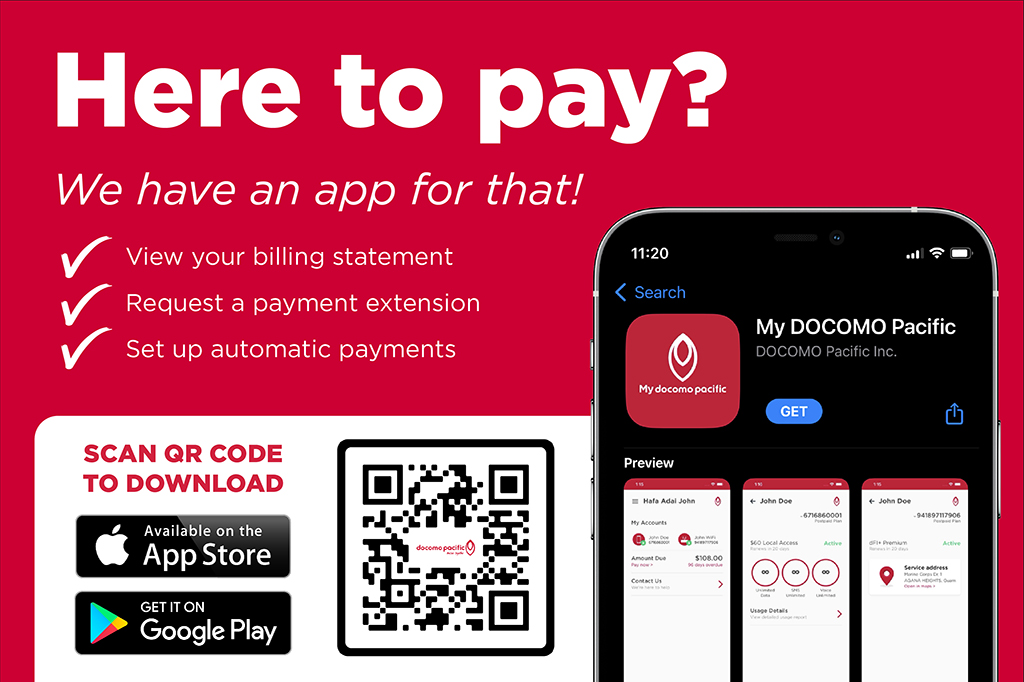
My DOCOMO PACIFIC Mobile App
-
Download My DOCOMO PACIFC mobile app via App Store or Google Play.
- Smartphone is required to download app.
-
Type of Customer:
a. Existing Customer
i. Log in with your registered username and password.b. New Customer
a. Register on our mobile app by clicking the link "Register here to setup your account login." at the bottom of the screen.
Sign up with either your:
-
Phone Number (phone number must be an active service with DOCOMO PACIFIC)
-
Account Number
-
Invoice Number
-
Verification Code will be sent to either the CPNI email address or phone number registered to your account.
-
Create Username and Password.
-
Access your account!
Disclaimer: Must have an active account and services with DOCOMO PACIFIC to access/register with our My DOCOMO PACIFIC mobile app.
Prepaid Services
Self Care Web Portal
-
Type of Customer:
a. Existing Customer
i. Login using your existing My DOCOMOPACIFIC account user name and password.
ii. View and access your account information!b. New Customer
a. Register your account on the My DOCOMOPACIFIC web portal by clicking mydocomopacific.com/SelfCare.i. Sign up using your active Prepaid Phone Number.
ii. Verification SMS will be sent to your prepaid phone number with a temporary username and password.
iii. Login using the provided temporary username and password.
iv. Create a new account username and password.
v. View and access your account information!
Disclaimer: Must have an active account and services with DOCOMO PACIFIC to access/register with our My DOCOMOPACIFIC web portal and mobile app.
My DOCOMO PACIFIC Mobile App
-
Type of Customer:
a. Existing Customer:
a. Download the My DOCOMOPACIFIC Mobile App via App Store or Google Play. Smartphone is required to download mobile app.
b. Log in using your existing account username and password.
c. View and access your account information!
b. New Customers:
a. Register your account on the My DOCOMOPACIFIC web portal by clicking mydocomopacific.com/SelfCare.
b. Sign up using your active Prepaid Phone Number.
c. Verification SMS will be sent to your prepaid phone number with a temporary username and password.
d. Download the My DOCOMOPACIFIC Mobile App via App Store or Google Play.
i. Smartphone is required to download mobile app.e. Login using the provided temporary username and password.
f. Create a new account username and password.
g. View and access your account information!
Disclaimer: An active internet connection is required to download and use the My DOCOMOPACIFIC mobile app for Prepaid customers. Using the app may incur data charges.


Sign up for Paperless Billing
Easier, faster, more secure, kinder to the environment
Get in Touch
-
Docomo Pacific Guam +1.671.688.2273
-
Docomo Pacific CNMI +1.670.488.2273
-
Outside Guam & Saipan (Toll Free) +1.866.688.4826